Save words from any websites and turn them into cards with context.
For example, you're reading an article in a foreign language and come across an unfamiliar word. You'd like to save it to your list so you don't forget it and can learn it later.
We've created a Chrome browser extension that helps you save words to a card list without leaving the current page.
No need to copy the word, switch to another tab where you save words, and then switch back to the article tab.
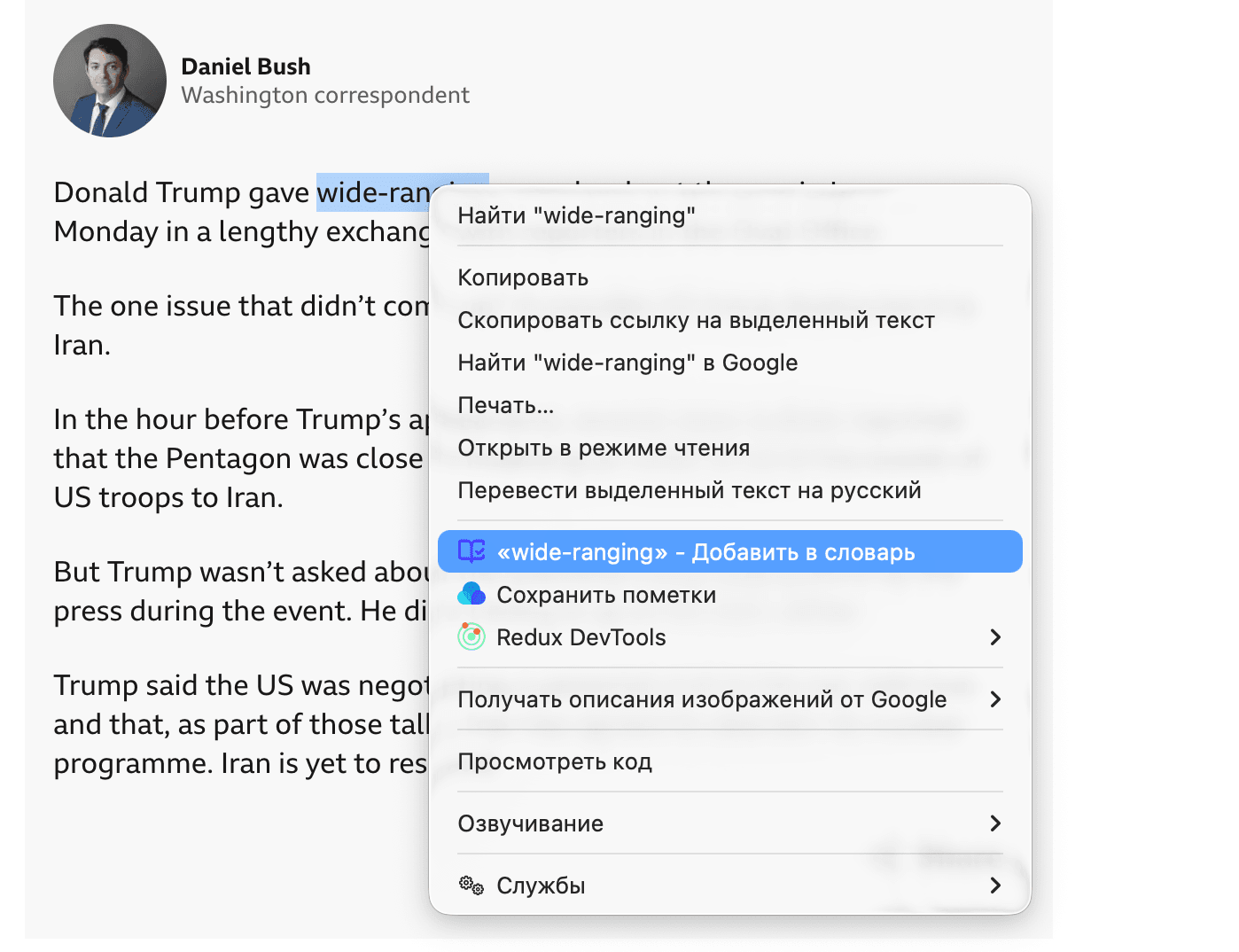
Simply highlight the word, open the context menu, and click — Add to Dictionary. That's it — the word will be saved to your list.
How to install the extension
1. Open the extension page: chromewebstore.google.com
2. Click "Install" / "Add to Chrome".
3. Confirm the installation.
4. The book icon will appear in the browser's extension list.
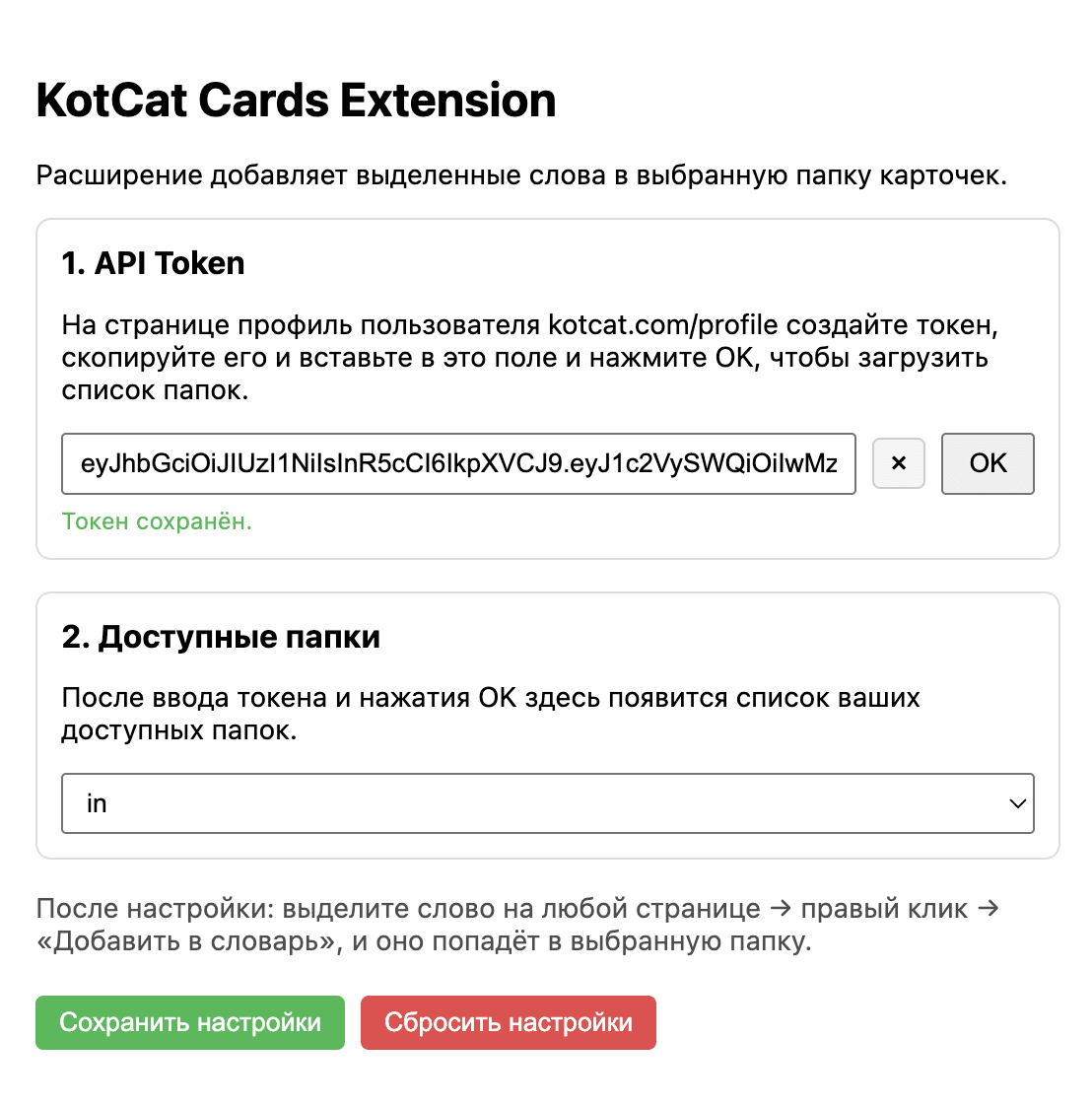
5. Go to the profile section at kotcat.com/profile. At the bottom of the page, click the button — "Get token". Copy the created token by clicking the button — "Copy".
6. Open the extension settings and paste the copied token (Ctrl + V). Select the folder where the words will be saved.
How to use
On any website, highlight the word you're interested in, right-click, and from the drop-down menu select "... Add to Dictionary".
Now when you go to kotcat.com, the saved word will appear in your card list. You can add a translation, context, and study it along with your other cards.